Choosing the best full stack development course online can be challenging, especially when you’re new to web development. One course promises to teach you multiple programming languages, another focuses on popular frameworks, and another highlights projects and career preparation. With so many options, how do you know which one is right for you?
The answer isn’t simply to choose the course with the longest syllabus or the most technologies. You need a learning path that explains how websites and applications work, gives you opportunities to practise, and helps you build something from start to finish.
Full stack development involves working on both the front end, which users interact with, and the back end, which handles application logic, data, and server-side operations. It also involves understanding how these parts communicate with databases and how an application can be tested and deployed.
In this guide, we’ll look at the skills a beginner should learn, the features worth checking before enrolling, and the projects that can help turn theoretical knowledge into practical ability.
What Is Full Stack Development?
Think about an online shopping website.
You can browse products, select sizes, add items to your cart, and complete an order. Those visible features form part of the front end. Behind the scenes, the application must manage user accounts, product information, prices, inventory, orders, and payments.
Full stack development brings these different parts together.
Front end
The pages, buttons, forms, layouts, and interactions users see.
HTML · CSS · JavaScript · React or Angular
Requests and responses through APIs
Back end
The application logic, authentication, validation, and business rules.
Node.js · Express or another backend technology
Queries and data operations
Database
Stores and retrieves users, products, orders, and other application data.
PostgreSQL · MongoDB
A full stack developer understands how these layers fit together. You don’t necessarily need to master every technology, but you should understand how to connect the interface, server, and data into a working application.
What Should the Best Full Stack Development Course Online Teach?
Before choosing a course, check whether its curriculum covers the following areas in a logical order.
1. HTML and CSS
HTML provides the structure of a web page, while CSS controls its appearance and layout.
You should learn:
- Semantic HTML elements
- Forms and input fields
- CSS selectors and the box model
- Flexbox and CSS Grid
- Responsive layouts
- Basic accessibility practices
For example, you might build a registration page that works on both a desktop computer and a mobile phone.
These fundamentals matter because a framework cannot replace your understanding of how web pages are structured and styled.
2. JavaScript fundamentals
JavaScript helps make websites interactive and also supports many modern backend and frontend development workflows.
A beginner course should cover variables, functions, arrays, objects, conditions, loops, and event handling. As you progress, learn asynchronous JavaScript, promises, async/await, and working with APIs.
A practical exercise could involve creating a form that validates user input before displaying the result.
What to check: Does the course explain JavaScript properly before introducing complex frameworks?
3. A front-end framework
After understanding HTML, CSS, and JavaScript, you can learn a framework or library such as React or Angular.
The course should explain components, reusable UI elements, application state, forms, and communication with backend APIs.
For example, you could build a product listing page with filters, a shopping cart, and a checkout form.
You do not need to learn every framework at the same time. Choose one, understand its fundamentals, and build a complete project before expanding your toolkit.
4. Back-end development
The back end handles the work that happens behind the user interface.
Depending on the course, you might learn Node.js and Express or another backend technology. The key is to understand the principles of server-side development, not just memorise a framework’s syntax.
Look for lessons on:
- Creating API endpoints
- Handling HTTP requests and responses
- Validating user input
- Managing authentication and authorisation
- Handling errors
- Organising application code
- Applying basic security practices
For example, when a user logs in, the back end must validate the request and determine which resources the user is allowed to access.
5. Databases and data modelling
A working application often needs to store information beyond a temporary browser session.
Your course should explain how to design data structures, create records, retrieve information, and update or delete data.
Check whether the curriculum introduces at least one database in enough depth to build a real project.
| Database type | Example technology | Common learning focus |
| Relational | PostgreSQL | Tables, relationships, SQL queries, constraints |
| Document-oriented | MongoDB | Documents, collections, queries, data modelling |
You don’t need to master every database immediately. Start with one and learn how to connect it to your backend application.
6. API integration
APIs connect the front end to the back end and can also allow applications to communicate with external services.
A good course should help you understand how to send requests, receive responses, handle errors, and display returned data.
For example, a dashboard might request information from an API and display the results in a table. You’ll need to consider loading states, missing data, and failed requests as well as the successful case.
7. Git, testing, and deployment
A course should not stop when the application works on your computer.
Look for practical introductions to:
- Git and version control
- Debugging and testing
- Environment variables and configuration
- Basic application security
- Build and deployment workflows
- Logging and troubleshooting
You should understand how to share your code, test important features, and make your application available in an appropriate hosting environment.
Full Stack Development Course Checklist
Use this table to compare courses before making a decision.
| What to check | A strong course should provide |
| Beginner-friendly teaching | Clear explanations and a logical learning sequence |
| Front-end skills | HTML, CSS, JavaScript, and a framework |
| Back-end skills | Server-side programming and API development |
| Database practice | Real data storage and retrieval |
| Practical projects | Applications built across the stack |
| Code quality | Debugging, testing, and readable code |
| Development workflow | Git and basic deployment |
| Learning support | Useful feedback or a clear way to resolve doubts |
| Curriculum transparency | A syllabus with specific topics and outcomes |
| Independent practice | Exercises that require more than copying examples |
A course does not need to teach every available technology. It needs to teach the right fundamentals well enough for you to apply them.
A Full Stack Development Learning Roadmap for Beginners
Stage 1: Build web pages
Learn HTML, CSS, responsive design, and basic JavaScript.
Project: Personal portfolio website.
Stage 2: Create interactive interfaces
Learn React or Angular, components, state, forms, and API requests.
Project: Product listing and search page.
Stage 3: Develop the back end
Learn a server-side technology, REST APIs, validation, and authentication.
Project: User and task management API.
Stage 4: Connect a database
Learn data modelling, queries, and database integration.
Project: Store and manage application records.
Stage 5: Complete and deploy an application
Connect all the layers, test important features, use Git, and deploy the project.
Project: A complete application that others can access.
This is a learning sequence, not a fixed-duration promise. The time required depends on your previous experience, practice habits, and the depth of the projects.
Projects to Look for in a Full Stack Course
Projects should combine multiple skills rather than ask you to build several unrelated pages.
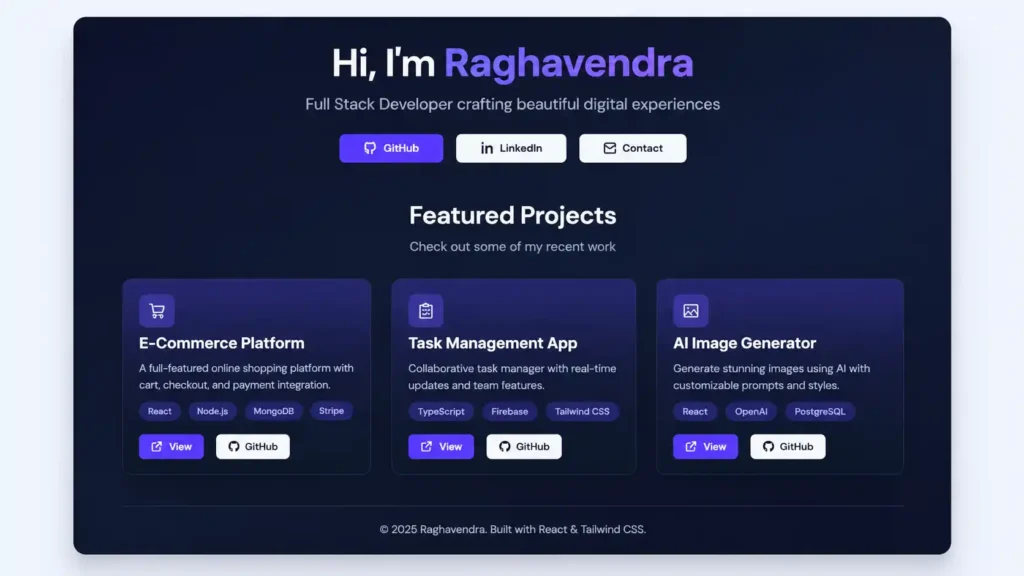
1. Personal portfolio
Build a responsive website that presents your skills, projects, and contact information. This is a useful first step for practising front-end development.
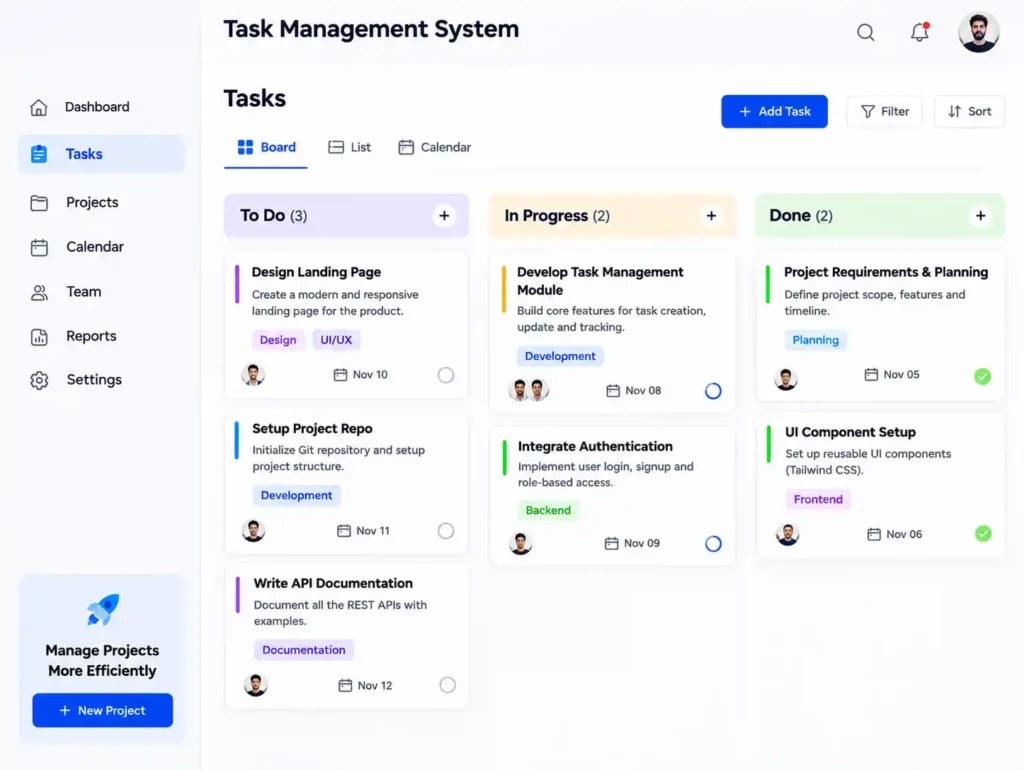
2. Task management application
Add user accounts, task creation, status updates, and database storage. This introduces the complete request-to-database workflow.
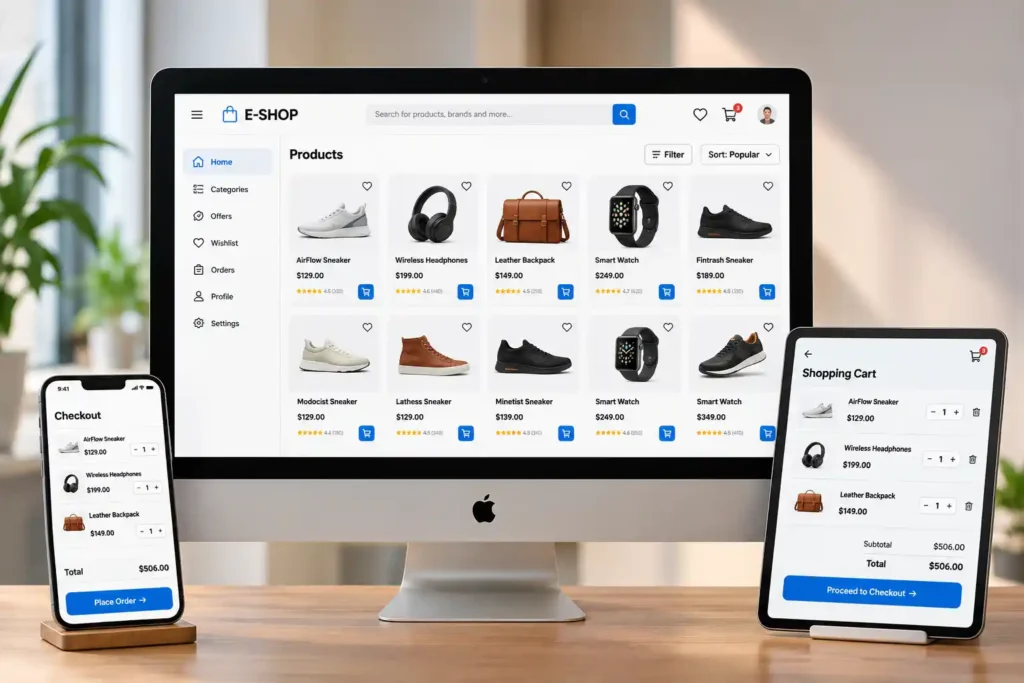
3. E-commerce application
Create product listings, search, a cart, and order management. Use a safe payment-provider test environment if you add payment functionality.
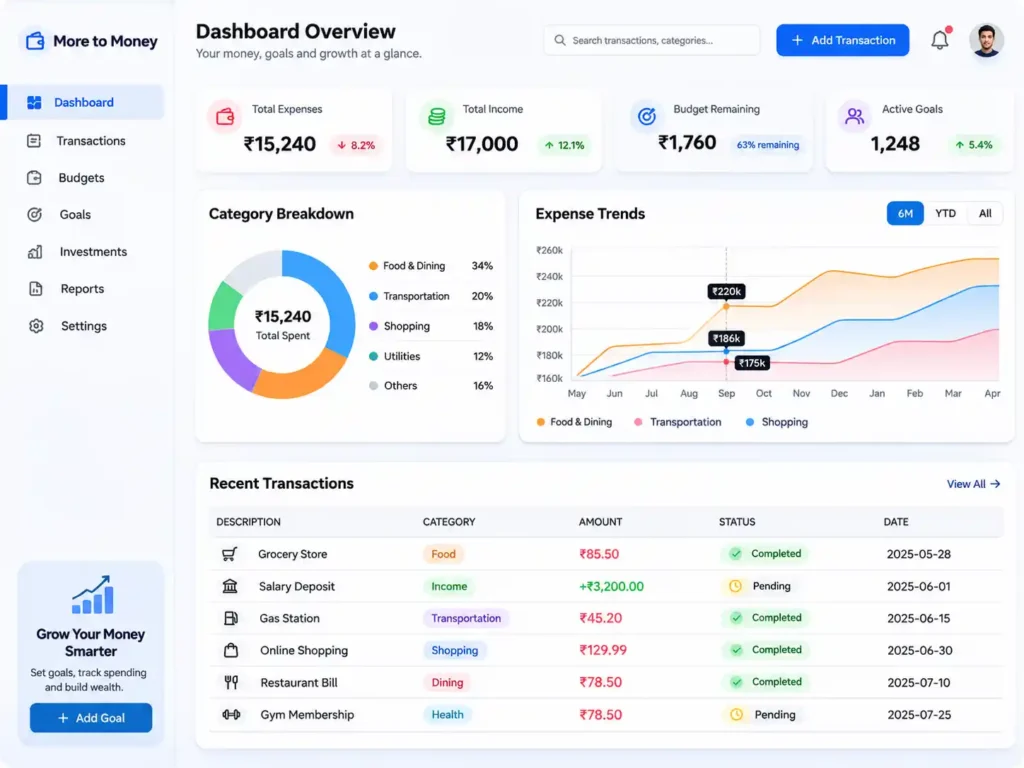
4. Expense tracker
Let users record expenses, group transactions, and view summaries. Practise forms, APIs, database queries, and data visualisation.
When evaluating projects in a course, ask whether you’ll understand the code and be able to explain your decisions. A project is much more valuable when you can extend it independently instead of simply reproducing the instructor’s version.
How to Choose Between Different Full Stack Courses
The right course depends on your starting point and what you want to build.
| Your situation | What to prioritise |
| You have never coded | A course that starts with programming and web fundamentals |
| You know HTML and CSS | Strong JavaScript teaching and front-end application development |
| You are comfortable with JavaScript | Back-end APIs, databases, testing, and deployment |
| You know only back-end development | Front-end frameworks and full application integration |
| You want to build a portfolio | End-to-end projects and independent assignments |
| You prefer guided learning | Structured lessons, feedback, and accessible support |
Before paying, review the full syllabus, project requirements, teaching format, course access terms, and support options. If career support or a certificate is advertised, check exactly what is included rather than assuming it guarantees employment.
Is the Wave IT Labs Full Stack Development Course Worth Exploring?
If you’re comparing structured learning options, you can review the Wave IT Labs Full Stack Development course.
The published curriculum covers full stack architecture, front-end frameworks such as React or Angular, server-side development with Node.js and Express, databases including PostgreSQL and MongoDB, testing, debugging, and DevOps basics. The course page also describes hands-on projects and self-paced learning.
Before enrolling, compare those topics with your own goals. Check the depth of each module, how the projects are assessed, what kind of guidance is available, and whether the learning format suits your schedule.
The most useful course is one that helps you understand the complete development process and gives you enough practice to continue learning independently.
Common Mistakes to Avoid When Choosing a Course
Choosing a course because it lists the most technologies: A long list doesn’t guarantee that you’ll understand any of them well. Prioritise depth and practical application.
Skipping JavaScript fundamentals: Moving straight to a framework can make even simple problems difficult to debug.
Learning front end and back end separately without connecting them: Full stack development requires understanding how the parts communicate.
Ignoring databases: A polished interface is not a complete application if you don’t understand how data is stored and retrieved.
Building projects by copying code: Change features, introduce your own requirements, and learn to solve problems without following every instruction.
Expecting a certificate to guarantee a job: A course can support your learning, but it cannot replace practice, project knowledge, and interview preparation.
Frequently Asked Questions
1. Can a beginner learn full stack development online?
Yes. Start with HTML, CSS, and JavaScript, then progress to a front-end framework, backend development, databases, and deployment. Choose a course that explains the fundamentals and provides practical exercises.
2. How long does it take to learn full stack development?
It depends on your prior experience, available practice time, and learning goals. Building basic pages takes less time than developing, testing, and deploying a complete application. Focus on what you can build independently rather than relying on a fixed timeline.
3. Which technologies should a full stack developer learn first?
A common path is HTML, CSS, JavaScript, one front-end framework, one backend technology, and one database. You should also learn APIs, Git, testing, and deployment basics.
4. Is React necessary for full stack development?
No. React is one popular option, but Angular and other front-end technologies can also be used. Choose a framework based on your goals and learn its core concepts properly.
5. Is a full stack development course enough to get a job?
A course can provide structure and practical experience, but employment depends on several factors, including your skills, portfolio, problem-solving ability, interview performance, and the requirements of the role.
6. What projects should a full stack beginner build?
Start with a portfolio website, then build an application with forms and API integration. Progress to a task manager, expense tracker, or e-commerce project that uses a backend and database.
7. How do I know whether a full stack course is worth the money?
Review the curriculum, project depth, instructor information, teaching format, support options, and access terms. Look for opportunities to write code independently and understand how each part of an application works.
Conclusion: Choose a Course That Takes You Beyond the Basics
The best full stack development course online is not necessarily the one with the most lessons or the longest list of tools. It’s the one that helps you understand how web applications work, practise each important skill, and build complete projects with confidence.
Start with the fundamentals, learn one technology at a time, and focus on connecting the front end, back end, and database. Practise debugging, testing, and deploying your work instead of stopping when the code runs locally.
If you’re looking for a structured learning path, explore the Wave IT Labs Full Stack Development course and compare its published curriculum with your learning goals.
Ready to start building? Choose your first project and work towards turning it into a complete application, one step at a time.
Suggested image alt text: Beginner learning full stack development online through practical front-end, back-end, and database projects.